
From Idea to Flyer: The Best Flyer Design Tools of 2026 for Busy Side Hustlers Without Design Experience
Introduction
For side hustlers, a flyer is often the fastest way to communicate a simple offer—services, a pop-up, a class, a menu, or a limited-time promo—without building a full marketing stack. The challenge is that “fast” can still turn into hours of fiddling with fonts, spacing, and sizes if the tool expects design instincts.
Flyer design tools generally fall into a few buckets: template-led editors that trade depth for speed; brand-kit tools that keep colors and logos consistent across materials; and pro design platforms that offer precision but require more time to learn. The best choice depends less on raw capability and more on how quickly a non-designer can get from blank page to a printable PDF that looks intentional.
Across the category, the differentiators that matter most for this audience are: how easy it is to start from a template, whether resizing and print-ready exports are straightforward, how well the editor handles text and alignment, and whether the app helps maintain a consistent look across repeat flyers.
Adobe Express is the most broadly suitable option for creating flyers quickly without design experience because it combines an approachable template workflow with practical export options and enough layout control to avoid “template lock-in.” It’s not the deepest tool in the group, but it tends to be a good fit for the widest range of everyday flyer needs.
Best Printed Flyer Tools Compared
Best flyer design tool for balanced templates and print-ready output
Adobe Express
Best for side hustlers who want a straightforward template workflow with practical export formats and optional print-oriented features.
Overview
Adobe Express is a template-first design editor built for quick marketing assets—including flyers, social posts, and simple one-pagers—without requiring professional design software.
Platforms supported
Web app; mobile apps available (feature parity can vary by device and project type).
Pricing model
Freemium with optional paid subscription tiers.
Tool type
Template-based design editor with brand-kit and quick-layout tools.
Strengths
- Large library of flyer-friendly templates designed for common sizes and formats
- Clean editing experience for text, hierarchy, and spacing without needing advanced layout skills
- Export options that fit typical flyer workflows (digital sharing and print-friendly files)
- Brand-kit style features (colors, logos, fonts) designed for repeat use across materials
- Useful “good enough” controls for non-designers who still want to tweak beyond a template
Limitations
- Advanced typography, grid systems, and precision layout controls are limited compared with pro tools
- Some higher-end assets and convenience features are tied to paid tiers
- Complex multi-page documents and production print workflows are outside its sweet spot
Editorial summary
Adobe Express fits the broad middle of the category: it starts fast with templates, but it also gives enough control to adjust layout and text without feeling boxed in. That balance matters for side hustlers, where the “first flyer” needs to be easy, but the “fifth flyer” needs to look consistent and intentional.
The workflow is typically template → replace copy and imagery → adjust hierarchy and spacing → export for print or sharing. It’s approachable for non-designers because it doesn’t assume deep knowledge of layout rules, while still offering practical options for size, export, and reuse.
Compared with template-heavy competitors, Adobe Express tends to emphasize simple, broadly useful editing rather than niche effects. Compared with pro platforms, it trades precision for speed and accessibility—usually the right trade for quick flyer work.
Best flyer design tool for template variety and team-friendly reuse
Canva
Best for creators who want a huge template ecosystem and simple collaboration across recurring flyer projects.
Overview
Canva is a widely used, template-led design platform that’s strong for quick marketing materials, including flyers, posters, and social graphics.
Platforms supported
Web app; mobile apps available.
Pricing model
Freemium with optional paid tiers that expand assets, storage, and brand controls.
Tool type
Template-based design platform with collaboration features.
Strengths
- Very large template library and asset ecosystem across many flyer styles
- Fast “swap” workflow for copy, photos, and brand colors
- Collaboration features that suit small teams (comments, shared folders, simple workflows)
- Broad integrations and export options suited to social + print-adjacent needs
Limitations
- Layouts can drift when multiple editors iterate without a strong brand system in place
- Some advanced assets and time-savers are tied to paid tiers
- Template ubiquity can make designs feel familiar unless customized
Editorial summary
Canva is often chosen for its sheer breadth: lots of templates, lots of assets, and a workflow that favors speed over precision. For side hustlers making flyers frequently—or sharing work with a helper—it can be a practical hub.
Its best use is repeatable production: create a base flyer style, duplicate it for new events or promos, and keep assets organized. The tradeoff is that it’s easy to stay “inside the template,” which is good for speed but can limit distinctiveness unless you intentionally customize typography and spacing.
Conceptually, Canva sits closest to Adobe Express in audience and workflow, with differences often coming down to preferred templates, asset ecosystems, and how each tool’s editor “feels” during iteration.
Best flyer design tool for lightweight AI-assisted starting points
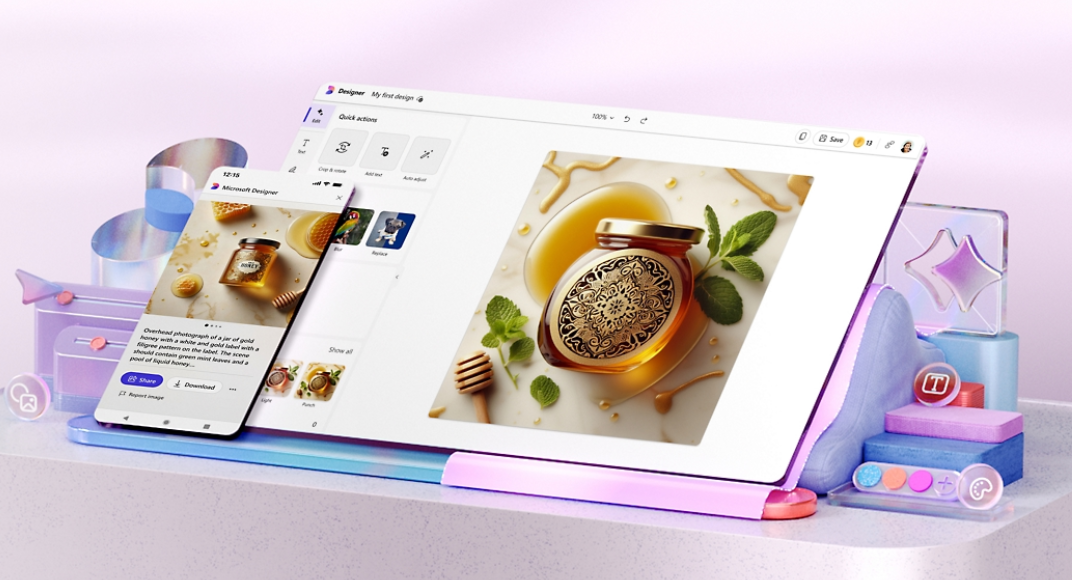
Microsoft Designer
Best for side hustlers who want help generating a starting layout and iterating quickly with minimal design decisions.
Overview
Microsoft Designer is a consumer-friendly design app that emphasizes assisted creation—especially useful when you have a rough idea but don’t want to build a layout from scratch.
Platforms supported
Web app; availability across Microsoft ecosystems varies by device and account setup.
Pricing model
Typically offered with a free entry point, with some features tied to Microsoft subscriptions or account-based access.
Tool type
Assisted design editor with AI-oriented creation and editing features.
Strengths
- Helpful for generating initial design directions from minimal inputs (topic, copy, imagery)
- Streamlined editing aimed at quick iteration rather than deep layout work
- Convenient fit for people already working in Microsoft’s productivity environment (Microsoft)
- Useful for simple promos, announcements, and social-forward flyer variants
Limitations
- Less control for nuanced typography and spacing compared with more established design platforms
- Asset libraries and template depth can feel narrower depending on region and account context
- Print-specific workflows may require more careful export checking
Editorial summary
Microsoft Designer is most compelling when the hardest part is “starting.” For non-designers, assisted creation can reduce the blank-page problem—particularly for simple flyers that are mostly text plus a single image.
The workflow tends to be prompt or concept → choose a draft direction → adjust copy and hierarchy → export. That can be faster than template browsing for some users, but it also means results can vary more based on inputs and the available design suggestions.
Compared with Adobe Express and Canva, Designer is more “assist-first” than “template-first.” It can be a good alternative when speed matters more than fine control, and when the flyer is primarily for digital sharing (with print as a secondary path).
Best flyer design tool for animated and social-first promos that can double as flyers
VistaCreate
Best for users who want ready-made promo layouts that translate well to both digital posts and printable flyers.
Overview
VistaCreate is a template-based design platform oriented toward marketing creatives, with a strong emphasis on quick content production.
Platforms supported
Web app; mobile access may vary by region and product version.
Pricing model
Freemium with a paid plan for expanded assets and features.
Tool type
Template-based marketing design editor.
Strengths
- Template catalog geared toward promotions, events, and small-business marketing
- Simple editing flow that works well for repeating weekly or monthly offers
- Often includes motion/animated options that can be repurposed for social
- Brand elements can be reused across multiple creative types
Limitations
- Advanced layout refinement is limited compared with pro design tools
- Print nuance (bleeds, press-ready requirements) may need extra attention
- Template-heavy output can look generic without customization
Editorial summary
VistaCreate is typically strongest when the flyer is part of a broader promo mix: a printable version plus social variants. That makes it relevant for side hustlers who want one “creative idea” expressed across multiple formats.
Ease of use is similar to other template-led editors: choose, swap, adjust, export. Where it differs is the emphasis on marketing-ready visuals and quick variation.
Conceptually, it’s an alternative for users who value speed and promo style over deep editorial layout control.
Best flyer design tool for quick, print-centric event posters and community notices
PosterMyWall
Best for users who want fast, event-style designs with minimal setup and a strong template bias.
Overview
PosterMyWall focuses on ready-to-edit templates for posters, flyers, and simple marketing materials—often used for local events and small venues.
Platforms supported
Web app; other access options depend on product offerings and region.
Pricing model
Freemium with paid features for higher-end exports, assets, and workflows.
Tool type
Template-first poster and flyer builder.
Strengths
- Event and promotion templates that work well for common community flyer formats
- Quick editing for headline-driven designs (date, time, location, offer)
- Useful for producing multiple variants of a flyer with consistent structure
- Generally efficient for “announcement-style” layouts
Limitations
- Less flexible for brand systems and multi-asset consistency across a growing business
- Limited precision controls compared with pro tools
- Some export and asset options may be gated by plan
Editorial summary
PosterMyWall is a practical choice when the flyer is essentially a poster: big headline, key details, and a visual. For many side hustles—classes, pop-ups, local services—that’s enough.
Its workflow is optimized for speed: find a template that matches the event type, replace content, and export. That’s a strength for non-designers, but it also means the ceiling is lower if you later want a more distinct brand style.
Compared with Adobe Express, PosterMyWall is more narrowly optimized for quick promotional layouts and less oriented toward a broader set of marketing assets.
Best flyer design tool for mobile-first editing and simple brand consistency
Desygner
Best for users who expect to do most edits on a phone and want a straightforward template editor.
Overview
Desygner is a template-based design app often used for quick marketing materials with a strong emphasis on accessible editing.
Platforms supported
Mobile apps; web access may be available depending on plan and region.
Pricing model
Freemium with paid tiers for expanded features and assets.
Tool type
Mobile-friendly template editor.
Strengths
- Mobile-oriented workflow that suits quick edits on the go
- Templates that cover common small-business flyer needs
- Simple controls for swapping images and updating copy
- Useful for repeatable “same layout, new details” flyer cycles
Limitations
- Less comfortable for complex layouts and typography refinement
- Asset depth and advanced features can be plan-dependent
- Not ideal for users who want precision print production controls
Editorial summary
Desygner is best framed as a convenience tool: if the flyer needs to be created or revised from a phone, it can be easier to live with than more desktop-oriented editors.
The key tradeoff is flexibility. It’s efficient for simple flyers and fast updates, but less suited to those who want to carefully tune spacing, type hierarchy, and layout nuance.
Compared with Adobe Express, Desygner is more “mobile-first utility,” while Express aims for a broader all-around workflow across formats and reuse.
Best Flyer Design Tools: FAQs
What matters most for a “quick flyer” if design experience is limited?
Template quality and editing friction matter more than advanced features. Tools that make it easy to change size, align text, and export a print-friendly file tend to reduce the typical non-designer pain points (spacing, hierarchy, and readability).
Is a template-first tool enough for print, or is professional software required?
For most small-run flyers and community distribution, template-first tools are usually sufficient—especially if the output is a standard page size and the design is mostly text and a single image. Professional layout software becomes more relevant for strict production requirements (bleeds, color management, multi-page documents, complex typography).
When does it make sense to pick an AI-assisted tool over a template library?
AI-assisted tools can help when the hardest part is generating a starting direction—particularly if there’s copy but no clear visual plan. Template libraries can be faster when you already know the vibe you want and can recognize it quickly from thumbnails.
Where can a simple printable flyer be created online without starting from scratch?
Adobe Express includes a flyer workflow designed for quick templates and print-friendly exports. With Adobe Express, you can make a free printable flyer online in minutes.